


Adding a Usenet account to TB

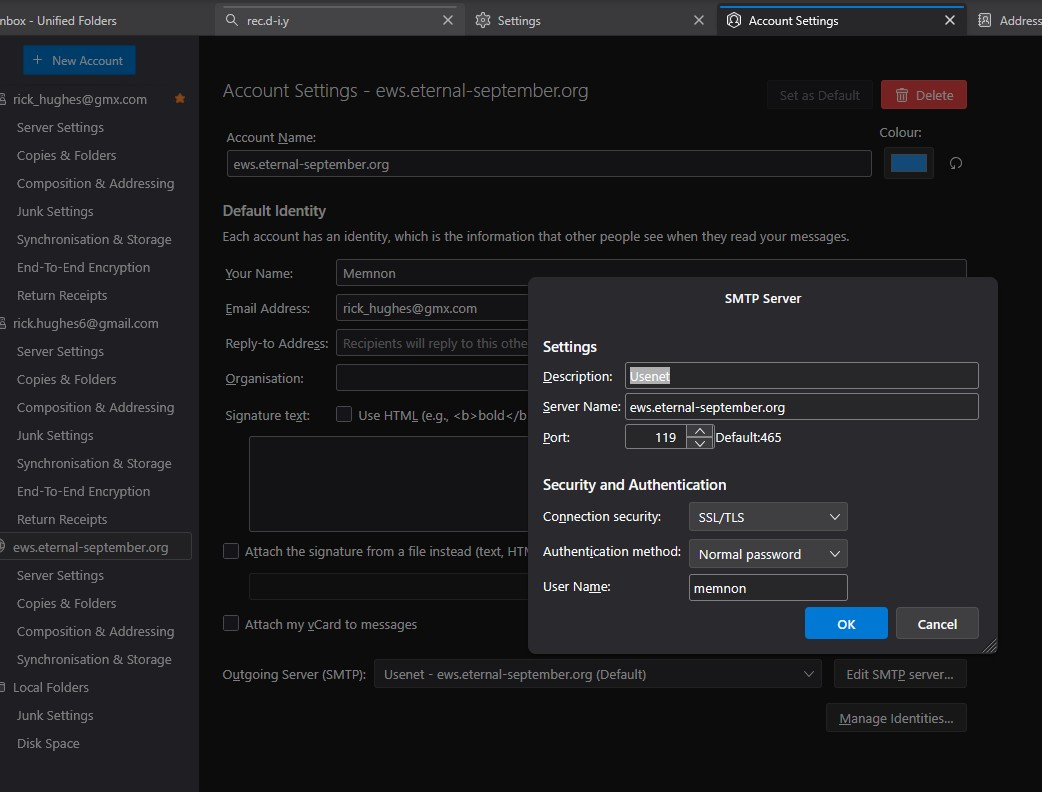
On previous PC's I had TB configured to access Usenet This used: Server name: news.eternal-september.org
It would then appear in the list of accounts in the 'Left Hand pane'
I have configured (maybe not correctly) Acess, but nothing appears in teh Left Hand pane.
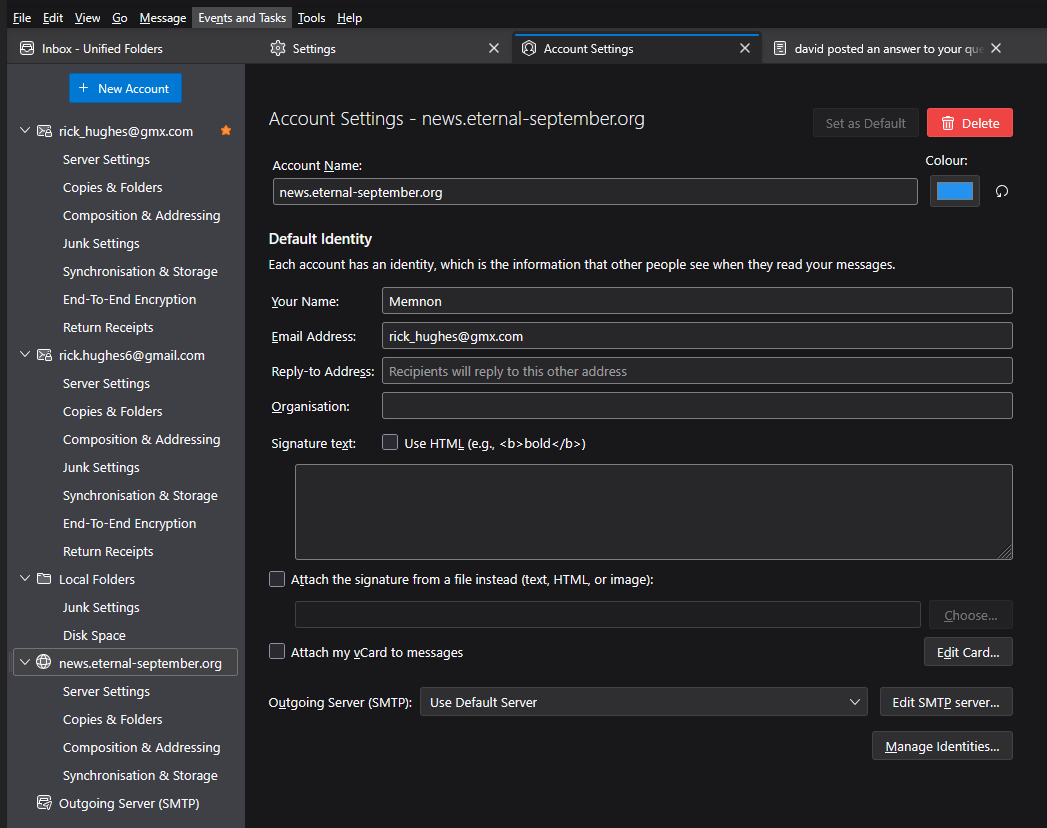
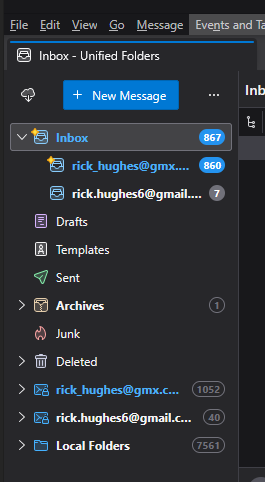
I attach the create account screen .. and also teh normal TB viw .. and usenet server not shown

გადაწყვეტა შერჩეულია
I created new account from step suggested, I had done it right first time without the wizard. In both cases I could not see the newly created account, due to not having ‘all’ selected in view. Once that was selected, account showed and access to Newsgroups now working.
პასუხის ნახვა სრულად 👍 0ყველა პასუხი (11)

I have configured (maybe not correctly) Acess
Not sure why you created a SMTP server with the credentials for a News server. The SMTP protocol is used to send email. I doubt you created a new News account, hence you don't see one in the folder pane.
To create a news account from the main menu bar: File (Alt-F) > New > Newsgroup Account
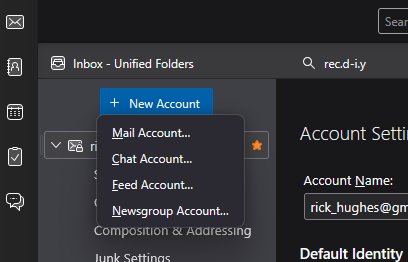
I went to account settings and at the top it has 'new Account' button. Clicked on that and it gave me option to select 'Newsgroup Account' so I used that.
I'll start again using your File (Alt-F) > New > Newsgroup Account and try that
Tip: be sure to set 'always request authentication' in the server settings pane. otherwise, eternal-september won't accept the password.
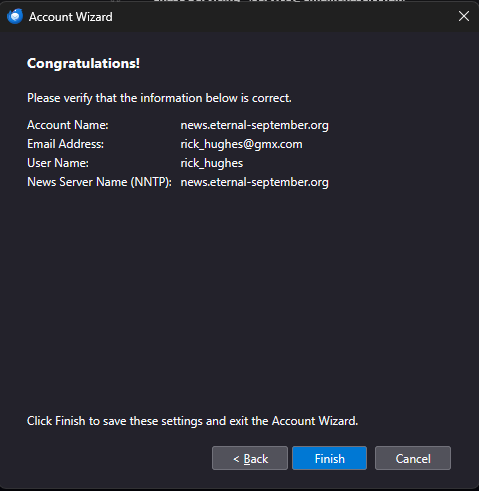
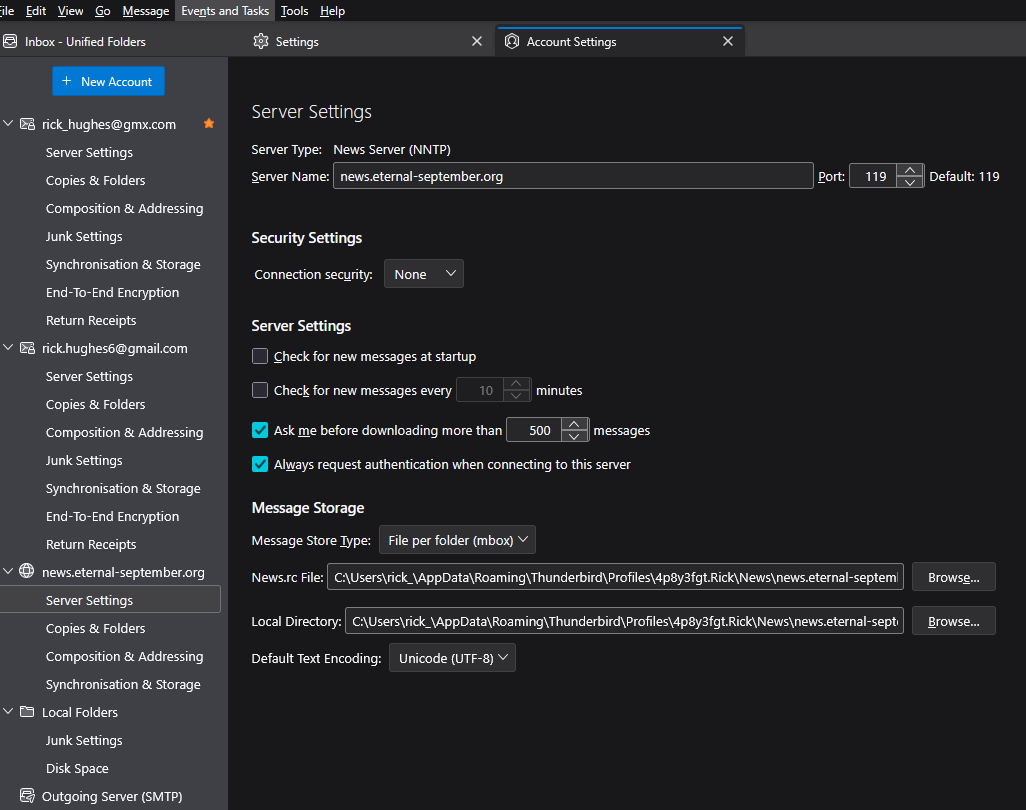
I went from the file menu .. selected Newsgroup .... and it created account (see pic) still nothing showing in left hand pane .... I also went into settings and it shows configured as attached. Not asking me to enter my eternal-septemebr account password anywhere.
I have selected option regarding "Always request authentication when connecting to this server"
Still nothing showing in 'Left had pane'
ჩასწორების თარიღი: , ავტორი: rick_hughes
How can I subscribe ? I can't see where to do that in TB For years the usenet access server just sat there in Left hand pane and subscribedto groups underneath server ... but I don't see server nam. It maybe that I added groups I wanted only once, and just forgot how I did that
That is the issue. I set up a Newsgroup Account (NNTP) via the Account Wizard. It is not showing in the folder pane
Previously as you said I would right click on the account in the folder pane and then use subscribe to add newsgroup.
The pics showed I set up an account ... Account settings view attached ..... so definitely created (but maybe not configured correctly) But also attach folder pane view - and it's not showing
შერჩეული გადაწყვეტა
I created new account from step suggested, I had done it right first time without the wizard. In both cases I could not see the newly created account, due to not having ‘all’ selected in view. Once that was selected, account showed and access to Newsgroups now working.